API Spec Navigator
Xplorer includes a powerful API Spec Navigator that lets you browse, explore, and test APIs directly from their OpenAPI or Swagger specifications. Go from spec to live request in seconds.
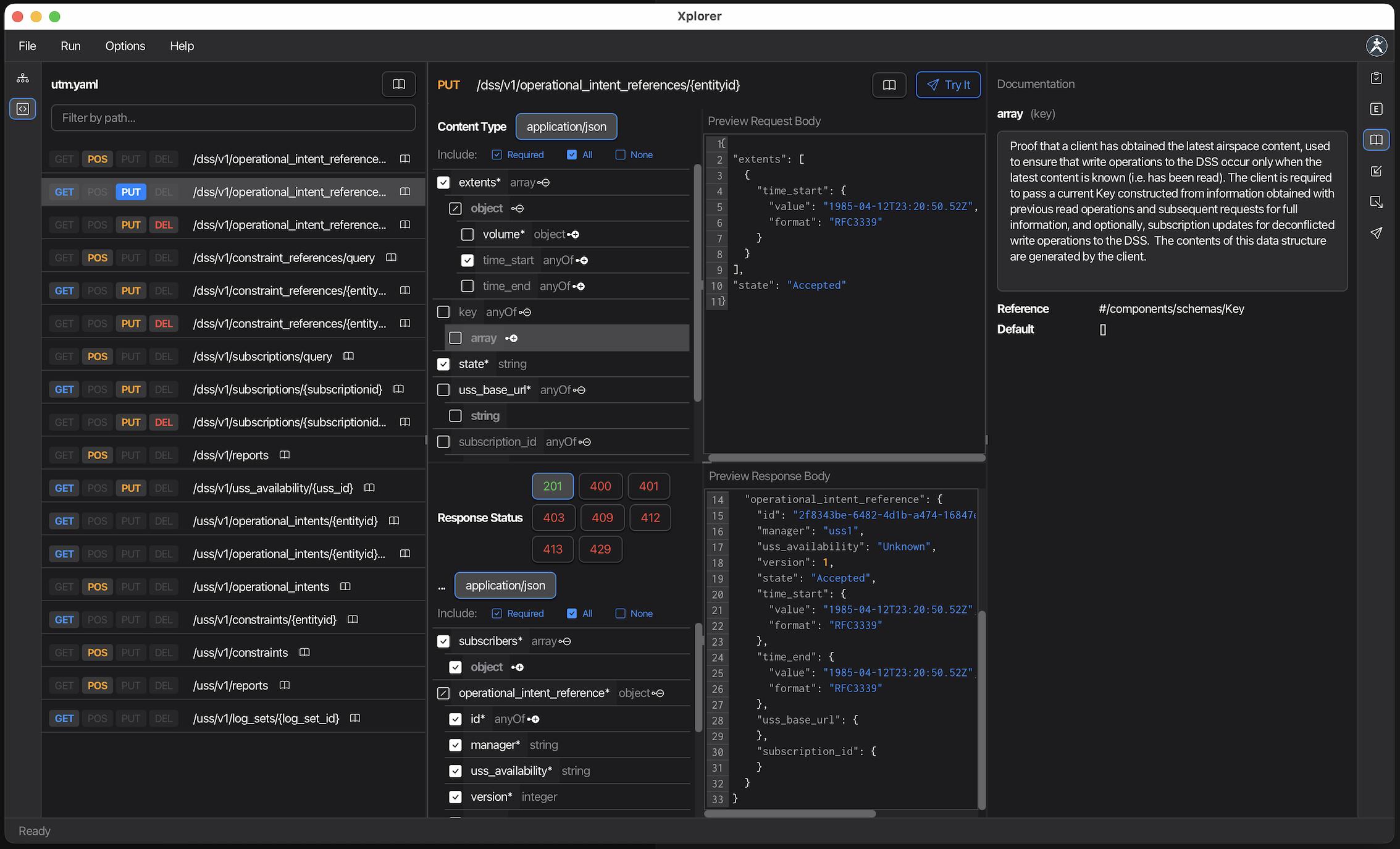
Watch a quick demo of OpenAPI and Swagger support →
Supported Formats
The API Spec Navigator supports all major API specification formats:
- OpenAPI 3.1 - Latest OpenAPI standard
- OpenAPI 3.0 - Widely adopted OpenAPI version
- Swagger 2.0 - Legacy Swagger format
- JSON Schema - Full JSON Schema support within specifications
External references to other files or URLs are automatically resolved and traversed.
Opening a Specification
Three ways to open a spec:
- File → Open - Browse to select your OpenAPI/Swagger JSON or YAML file
- Drag and drop - Drop a spec file directly into the window
- Recent files - Access recently opened specs from the File menu
Once opened, the spec appears in the left navigation panel with all paths and operations.
Navigating the Spec
Left Panel: Path Navigation
The navigation panel displays all API paths in a compact, filterable list.
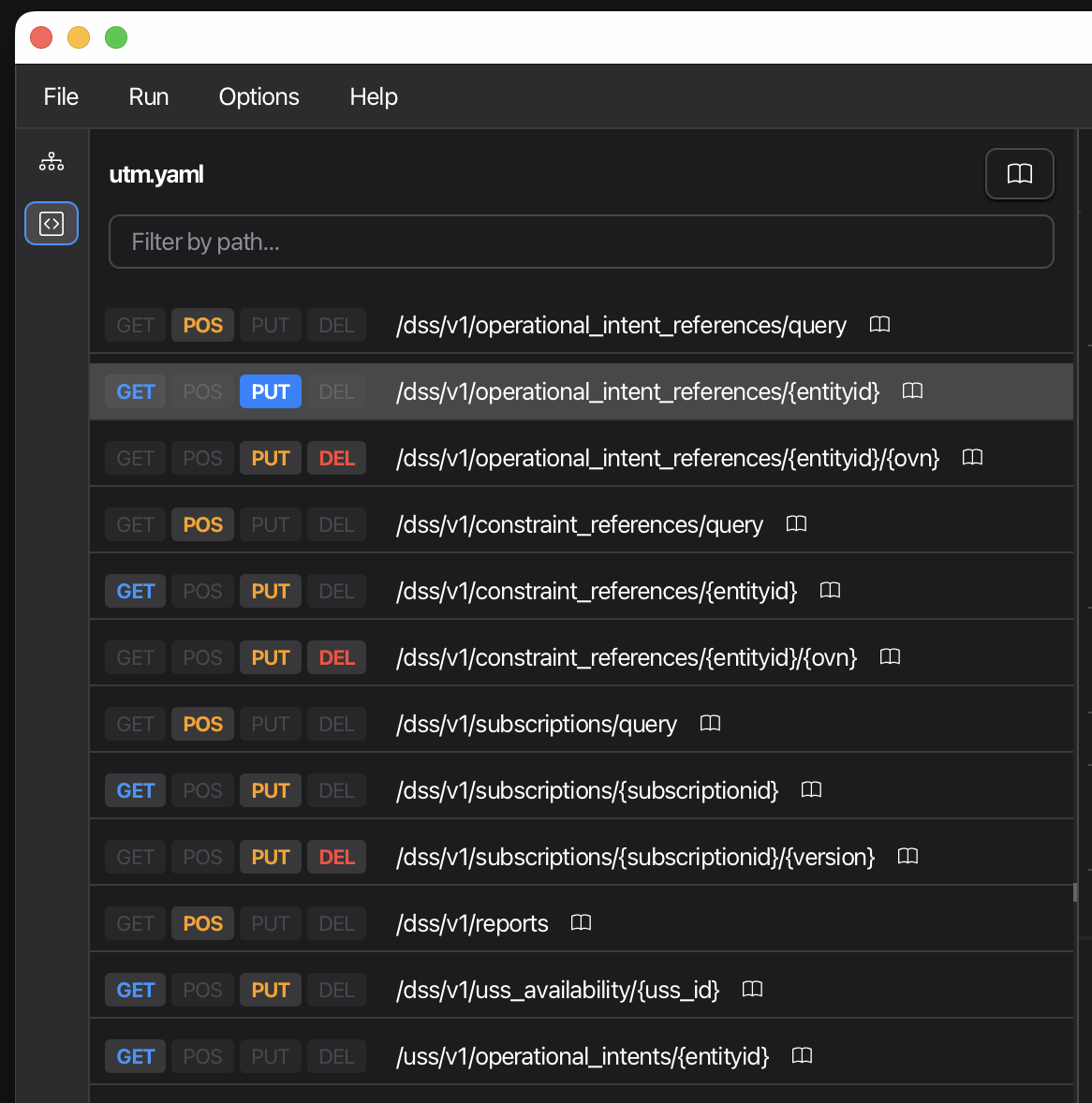
Features:
- Filter by path - Type in the search field to filter endpoints by path
- Method badges - Each operation shows its HTTP method (GET, POST, PUT, etc.)
- Expandable paths - Click a path to reveal all operations
- Documentation button - Click the book icon to view spec-level documentation (info, servers, etc.)
Center Panel: Method Details
Selecting an operation displays its complete details in a split view:
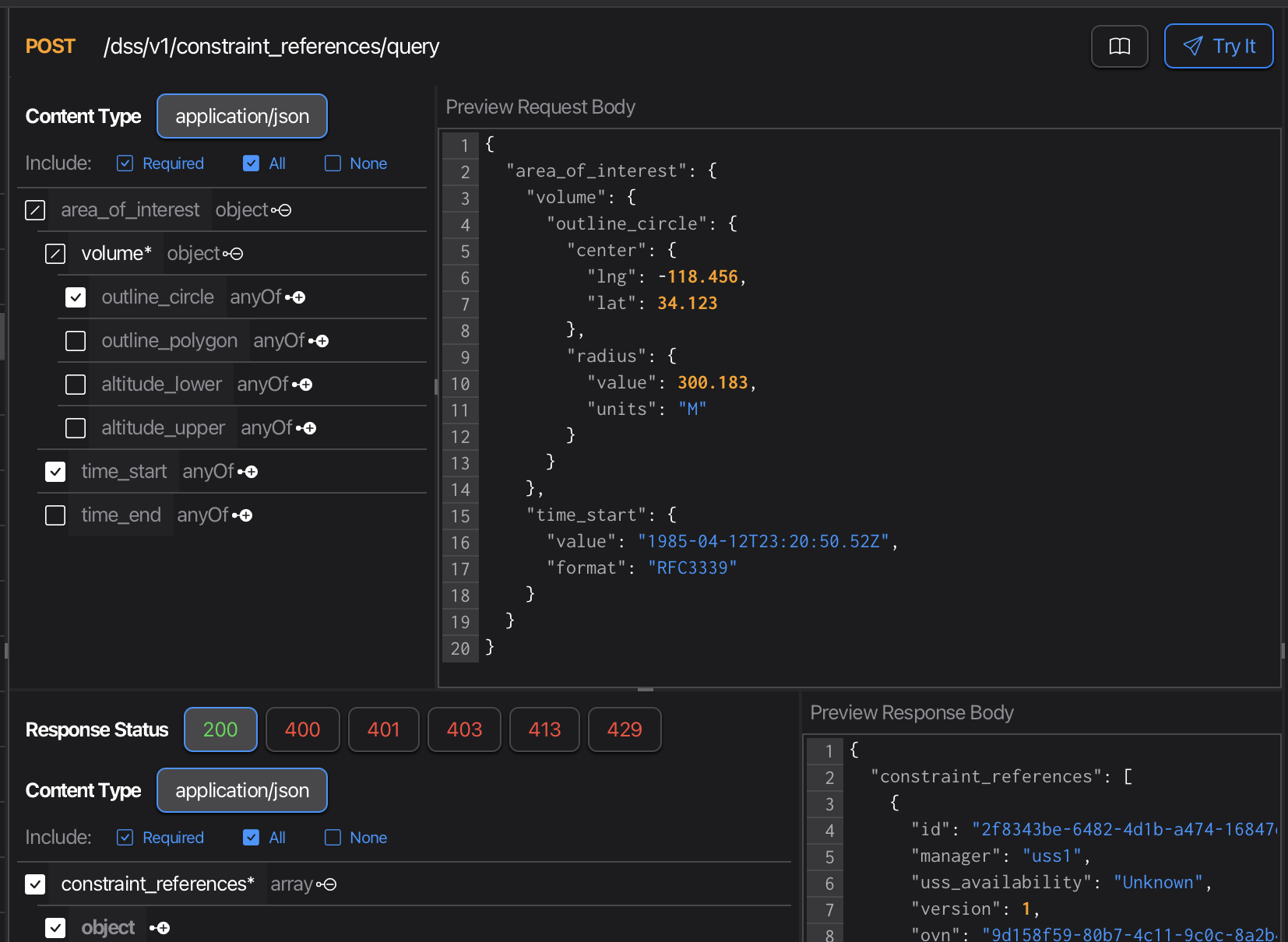
Top Section:
- Method badge and path
- Operation summary and description
- Documentation button for method-level docs
- Try It button to build a live request
Request Pane (top half):
- Path parameters with descriptions
- Query parameters with types and requirements
- Header parameters
- Request body schema with examples
Response Pane (bottom half):
- Response codes and descriptions
- Response body schemas
- Response headers
Schema Rendering
The navigator renders complex schemas with full support for:
- Nested objects - Expandable tree view of nested properties
- $ref traversal - Automatically resolves and displays referenced schemas
- External references - Loads schemas from external files or URLs
- Type information - Shows types, formats, enums, and constraints
- Examples - Displays example values where defined
- Required indicators - Clearly marks required vs optional fields
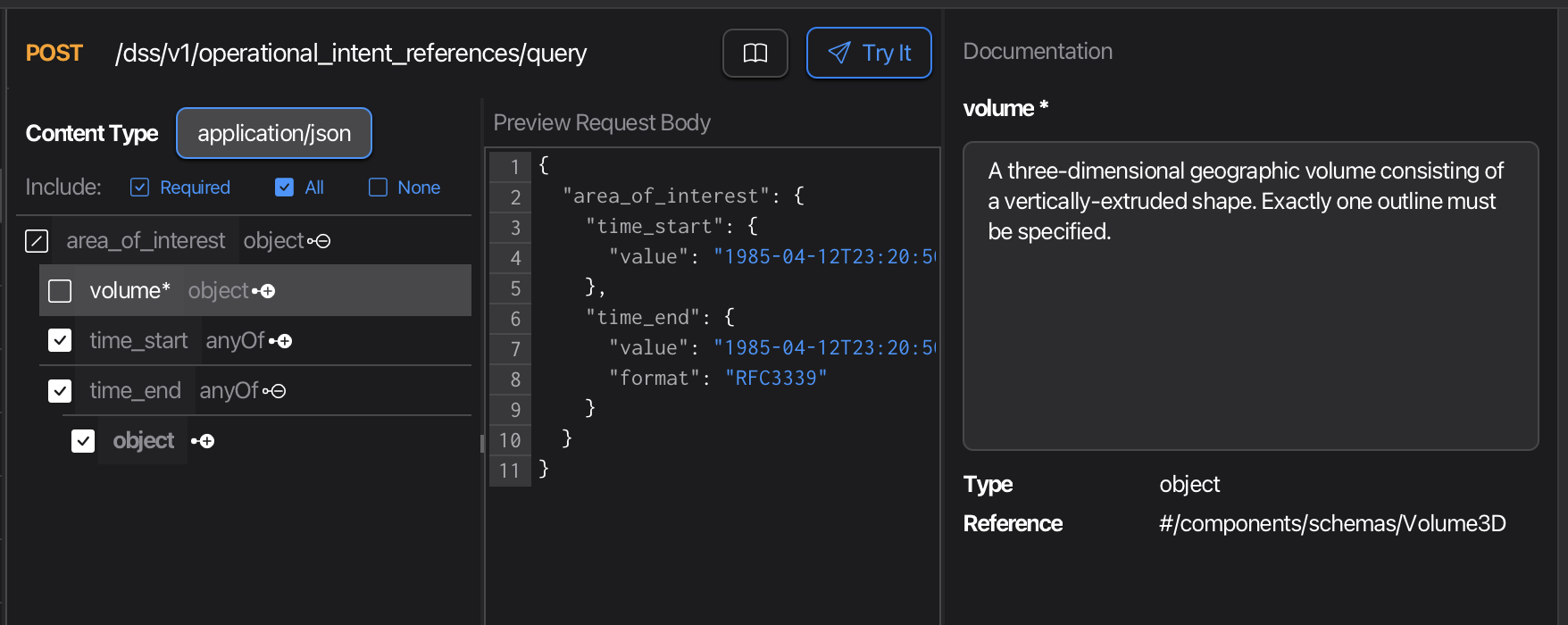
Selecting Schema Fields
Click on any schema property to see its full documentation in the right panel, including:
- Description
- Type and format
- Constraints (min/max, pattern, etc.)
- Example values
- Enum options
Documentation Panel
The right panel shows contextual documentation for the currently selected element:
- Spec-level - API title, description, version, servers, contact info
- Method-level - Operation description, tags, security requirements
- Schema-level - Property details, constraints, examples
- Parameter-level - Parameter description, requirements, examples

Building Requests: Try It
Click Try It on any operation to open the Request Builder pre-populated with:
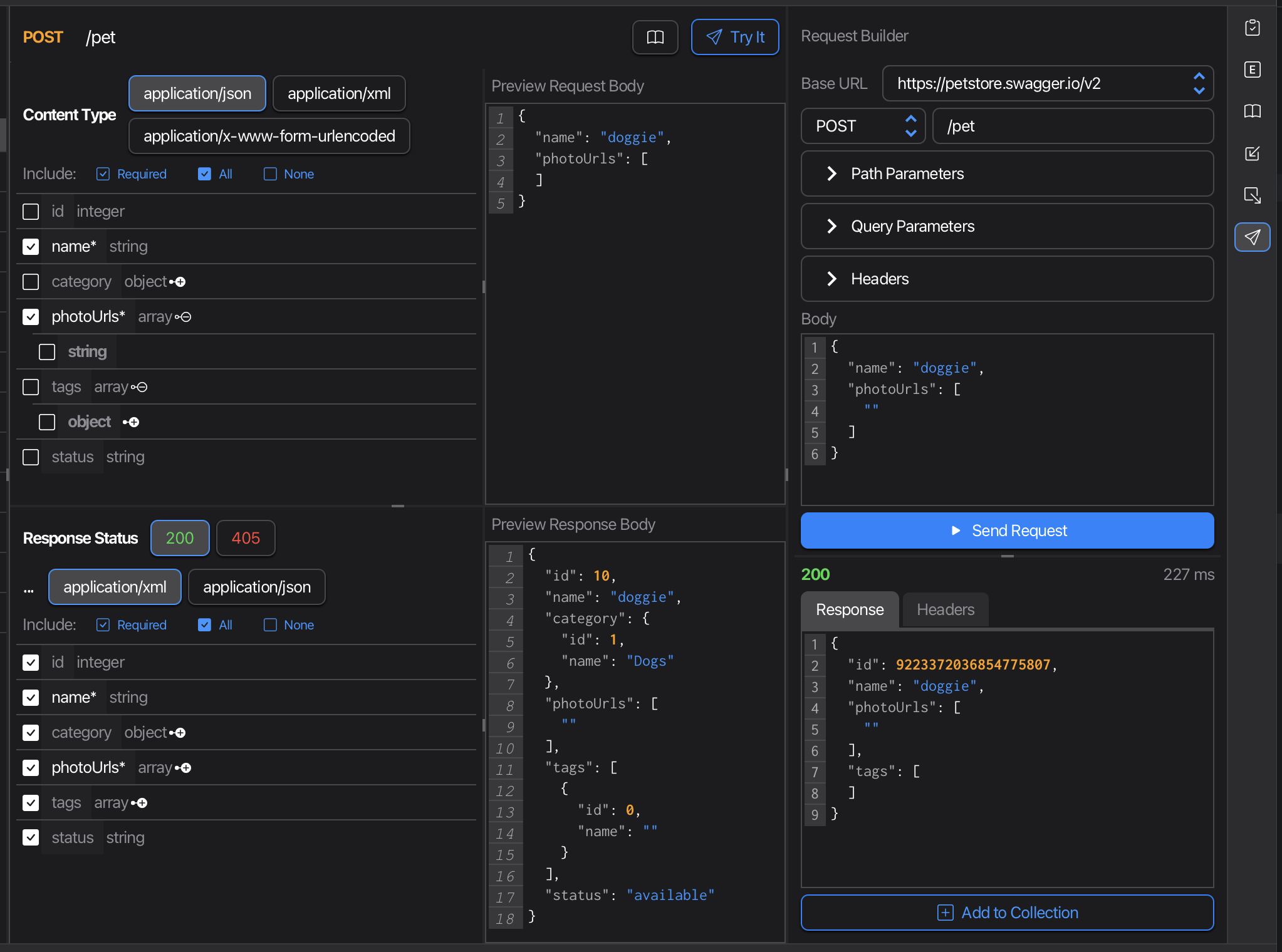
Request Configuration
- Base URL - Defaults to first server in spec, editable
- Method & Path - Pre-filled from the operation
- Path Parameters - Editable fields for path variables (
:idformat) - Query Parameters - Toggle and edit query params
- Headers - Pre-populated headers with Content-Type
- Body - JSON body generated from request schema
Field Selection
Before clicking Try It, you can customize which fields to include in the detail pane:
- Include/Exclude fields - Click checkboxes to include or exclude specific schema properties
- Required only - Quickly select only required fields
- Custom values - Edit parameter values directly
Sending Requests
- Edit the base URL if needed (e.g.,
http://localhost:8080) - Fill in path parameter values
- Adjust query parameters and headers
- Modify the request body as needed
- Click Send Request
The response appears below with status code (color-coded), response time, formatted JSON body, and response headers.
Adding to Collections
Once you have a working request:
- Click Add to Collection
- The request is added to your current collection
- Continue editing and testing in the collection view
This workflow lets you:
- Quickly prototype requests from API specs
- Test different scenarios
- Build a collection of working examples
- Maintain requests as the API evolves
Tips and Best Practices
Testing Local APIs
Set the base URL to your local server:
http://localhost:8080
http://127.0.0.1:3000
No CORS issues since Xplorer runs 100% locally.
Working with Path Parameters
Path parameters appear in OpenAPI format ({id}) and are converted to Postman format (:id) in the request builder. Edit values in the Path Parameters section.
Exploring Large Specs
Use the filter field to quickly find endpoints by path. The filter matches any part of the path.
Schema Navigation
When viewing complex schemas with references, click on referenced types to navigate to their definitions. The documentation panel updates to show the referenced schema’s details.