cURL Export
Export any request as a cURL command for use in terminals, scripts, or sharing with others.
Overview
The cURL export feature allows you to:
- Convert requests to cURL commands for any platform
- Copy commands to clipboard for easy sharing
- Generate commands for Mac/Linux, Windows Command Prompt, or PowerShell
- Share API calls with team members who don’t use Xplorer
How to Export cURL
- Select a request from the navigation tree
- Click the Export button in the right toolbar
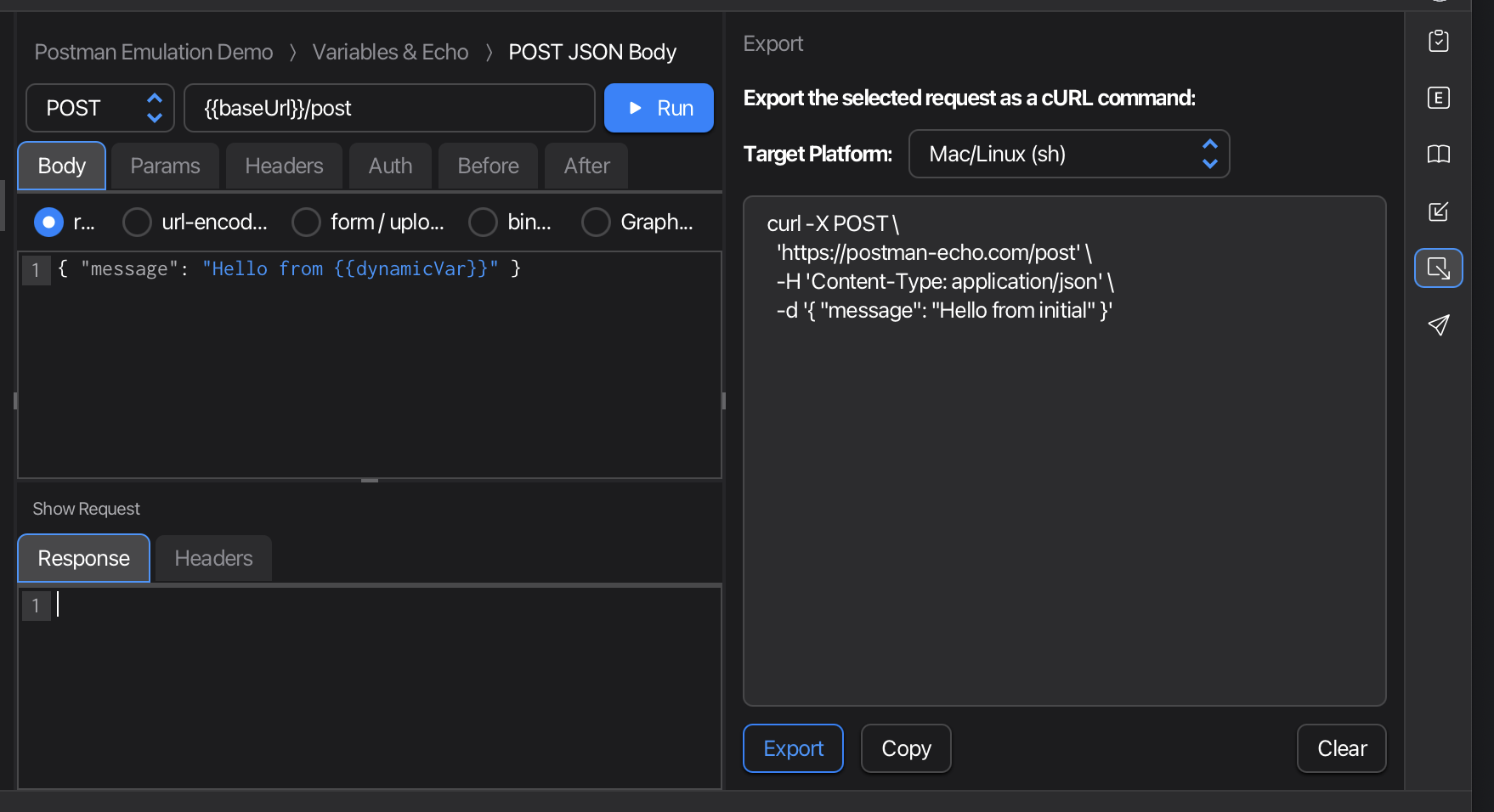
- The Export Pane opens (right panel)
- Select your Target Platform from the dropdown
- Click Export to generate the cURL command
- Click Copy to copy to clipboard
Target Platforms
The export feature generates platform-specific cURL commands with correct quoting and escaping:
| Platform | Description |
|---|---|
| Mac/Linux (sh) | Uses single quotes, suitable for bash/zsh terminals |
| Windows Command (cmd) | Uses double quotes, escapes for cmd.exe |
| Windows PowerShell (ps) | Uses PowerShell-compatible syntax |
The default platform is automatically detected based on your operating system.
Workflow
Select a Request
The Export pane works with requests (not folders). Select any request in the navigation tree, then click Export to generate the corresponding cURL command.
Generate and Copy
After clicking Export:
- The cURL command appears in the text area
- The Copy button becomes enabled
- Click Copy to copy the command to your clipboard
- Use Clear to reset the pane
Platform Changes
If you change the target platform after generating a command, click Export again to regenerate the command with the correct syntax for the new platform.
Use Cases
Sharing with Team Members
Export a request as cURL and share via:
- Slack, Teams, or email
- Documentation or wikis
- Bug reports or support tickets
Terminal Testing
Copy the cURL command to test directly in your terminal:
- Verify API behavior outside of Xplorer
- Debug network issues
- Test from different machines or environments
Script Integration
Use exported cURL commands in:
- Shell scripts
- CI/CD pipelines
- Automation workflows
Documentation
Include cURL examples in:
- API documentation
- README files
- Developer guides
Tips
- Environment variables: The export uses current environment variable values; consider replacing sensitive values before sharing
- Request body: Complex JSON bodies are properly escaped for the target platform
- Headers: All request headers are included in the export
- Authentication: Auth headers are exported as-is; be careful when sharing
Next Steps
- cURL Import - Import cURL commands into Xplorer
- Interface Overview
- Running Requests & Collections